Companies say a glitch in Motorola's wildly popular phone causes dropped calls or shut down; Motorola stock tumbles over 2 percent. Saw this and had to share my observations of this piece of junk. My sister in law lives in Tampa, FL and has one of these "fishing sinkers." She one and while our family visited her I asked her what she thought about the Razr. Well lets just say, she was not a happy customer. She complained about the dropped calls and shut downs. One the way from the airport, in heavy traffic, her husband called her to see if our flight had arrived. I witnessed the phone dropping the call at least three or four times on a straight highway with no overpasses. This was in Tampa and the service coverage there is usually flawless. I thought it was her phone and how she had mistreated it. However, her son, my nephew, who has owned a cell phone from birth, was having the same issues with his Razr.
Bottom line-- Any one can build a piece of junk, but to sell it to folks that trust the brand, well Moto needs to show some customer appreciation and replace these Lemons.
Technology is fine when it works, but can cost a bunch and bug the heck out of you too.
read more | digg story
Saturday, March 11, 2006


Wednesday, March 08, 2006
Reflecting on Using Technology In My Classroom
We have just started using the Apple's updated Garageband 6 in our classroom podcast. My students really like it much better than the older version. The like the bundled sound loops. After recording, we just click the images they want straight from the photo album. Currently, we are using the Apple shared photo feature so the students can access all photos in the classroom. They use the images to create enhanced podcasted. However, the size of the podcast file is huge when they include all the images and sound effects they like. I have decided to post a non-enhanced version to our iWeb site to avoid exceeding our small 1GB on .MAC. Hopefully, we will be able to up the server space next school year. I have promised the students that we will burn them CDs of the enhanced podcasts to take home for their families to enjoy. This is a tip I learned from Bob Sprankle at Room 208 We also love the new iWeb. Check out our classroom's iWeb: http://web.mac.com/blakej78 We have posted a few podcasts on this, and hope to have a new one up on using BubbleShare and Bloglines, and our science study of motion. My students created a claymation animation of mitosis. I am working on posting this soon to our site.
Today, my students (ages 16-20 Seniors in High School) create a BubbleShare.com site, and post images from the classroom. Their sites are set as PRIVATE, not PUBLIC. To share the images with every student, we created blogline.com accounts and shared through email, the addresses to the student's BubbleShare account. That means that only folks that they send the link to has access to the photos. Our lesson tomorrow is responsible ethical use of photos on the web. We are going to talk about copyright, and digital rights management. I made it very clear that they are not to use their last names in anyway. I was very surprised that all 10 of them had MySpace accounts. They were very lacks about following this rule until I gave them zeros for the assignment until they removed all identifying info from their photosharing site. So, you might want to share that tip with other teachers. We do not use MySpace.
Two of my students are already signed up to join the Military after graduation from high school. I sold them on the idea of learning how to use this tool so they could be able to send me photos of them when they get to Baghdad! Sad, but true.
Next, I hope to have them learn to pod to a blog. We are not going to use a public blog, I want to use David Warlick's Blogmeister blog site.
Today, my students (ages 16-20 Seniors in High School) create a BubbleShare.com site, and post images from the classroom. Their sites are set as PRIVATE, not PUBLIC. To share the images with every student, we created blogline.com accounts and shared through email, the addresses to the student's BubbleShare account. That means that only folks that they send the link to has access to the photos. Our lesson tomorrow is responsible ethical use of photos on the web. We are going to talk about copyright, and digital rights management. I made it very clear that they are not to use their last names in anyway. I was very surprised that all 10 of them had MySpace accounts. They were very lacks about following this rule until I gave them zeros for the assignment until they removed all identifying info from their photosharing site. So, you might want to share that tip with other teachers. We do not use MySpace.
Two of my students are already signed up to join the Military after graduation from high school. I sold them on the idea of learning how to use this tool so they could be able to send me photos of them when they get to Baghdad! Sad, but true.
Next, I hope to have them learn to pod to a blog. We are not going to use a public blog, I want to use David Warlick's Blogmeister blog site.
Sunday, March 05, 2006
Thursday, March 02, 2006
IMHO-- Our District Web Pages Are 'Old School'
District web pages were the topic of a podcast by Jeff Moore over on One Big Head. He is a very forward thinker and one podcast that I never delete, until I have replayed in my iPod a couple of times while working out in the gym after school. I am still trying to get my head around what Jeff talks about in this episode. I may have to listen to the podcast again tomorrow after a good night's sleep. I liked the way Jeff weaved the idea of how schools have an industrial culture. Well that is not how he states it. He is much more politically correct. Schools have a culture. State and Federal mandates along with local goals direct our school web page content. What content is on our pages reflects the industrial nature/departmentalized approach to managing our schools. Should we change our districts website? Not if it is just for looks. Not just to change for the heck of it. We should change to reflect the evolution of the Internet. It is time for our district to begin moving from the static web page to dynamic information content management.
In this episode, I offer thoughts on MySpace that are going to make me unpopular. Listen carefully, though--it's not MySpace that's the problem. It's our institution. Also, some realizations about my school district's website: how can its evolution bring change in the organization at large? We use Mambo, which forced us to do some things differently. Click here to listen.
Saturday, February 11, 2006
Spirit Mars Rover Reaches 'Home Plate': Formation Has Researchers Puzzled
NASA's Spirit Mars rover has arrived at a site dubbed "Home Plate" within Gusev crater. But what the robot found has left scientists puzzled.
What do you think it could be?
read more | digg story
What do you think it could be?
read more | digg story
Tuesday, January 31, 2006
Thanks for the Shout-Out
A very NICE mini-conference
Filed under: Musings — Steve @ Jan 30, 06 | 7:37 am
I know, I know, the title of the post is corny, but how can you avoid it when the group hosting the mini-conference is named "NICE", Northern Illinois Computing Educators? The conference itself was a resounding success. There were only three time slots, perfect for a half day mini-conference. I did a quick 45 minute overview of Educational podcasting. You can read Dick’s write up of it here and check out the resource page here. I really should post the entire presentation there. I wish I had recorded it. I was planning to record it on my camera, but seems as though I forgot to charge it up the night before and the battery was dead. Anyway, it went smooth, and based on the comments people shared with me afterwards, quite a few people left the session thinking to themselves, "You know, I really think I could do that." I’m pretty satsified with that. I also attended a session about using Moodle for virtual staff development, hosted by Charlene Chausis. Charlene is the staff development trainer at Stevenson High School and showed off a Moodle course that she created discussing teaching technology to Digital Natives. To be honest, I want to attend that course! I must admit that I was surprised to see that John Blake and Wesley Fryer were already attending and participating in the course! I wonder if Charlene’s teachers know that she’s really got some heavy hitters playing in the sandbox with them? Anyway, the class itself was very informational to me. It had been a long time since I played around with Moodle, and I definitely learned about some features that I either forgotten or never knew about to begin with. It looks perfect for this project I’m going to be getting started on soon (very hush hush, but I’ll share when I can). Charlene also did a great job of sharing projects that other schools have been working on. Great stuff and well worth the time. The quality of Open Source products never cease to amaze me.
Proud to me mentioned in the same sentence with Wes Fryer. Thanks for the kind words Steve. Moodle has been a real life saver for me. It forces me to plan my lessons much more completely than a conventional lesson. I am struggling with finding new ways to teach using Moodle. Coming up with creative engaging activities that force my students out of their comfort zone is a challenge. They feel very safe with filling in the blanks in a worksheet. Moodle lets teachers prepare these activities. I finally tried a lesson module this week. It worked great. However, it took hours to prepare. I have downloaded eXe, which is a content editor I am trying to learn use with Moodle. The trick in using Moodle is to have the students create their own learning activities. HotPotatoes is my favorite tool.
I need to look at Charlene's course again to steal some ideas...check you later...
Wednesday, January 25, 2006
Social Bookmarking
I know when I post articles about social bookmarking tools, someone is going to read it and post a comment. Bookmarking companies really understand how to use search engines so, I am going to be very truthful and precise. I have be very happy using Del.icio.us for almost an entire school year. My students had issues with trying to use bookmarking software in class. I never have been able to pin-point their reluctance in using bookmarking tools. I read a post on Tim Lauer's blog:
The great thing about Scuttle is that you can download the source and run the application on your own server. Today my friend, Dick McPartland, came by and installed the necessary software and we now have Scuttle running locally at, Lewis Elementary. This means that we can provide our students with a social bookmarking tool, running locally in our building. Several teachers have asked for a tool similar to del.icio.us. I wanted to set up so that students did not have to create a login on a remote system.The idea of hosting our own bookmarking software makes good sense so my students will not have to create a login to use the bookmarks. When I created a Del.icio.us bookmark account for my class to use, they never could remember the password. I tried changing the password to a very simple password like the initials of our school. That did not work. Wrote it on the board at the front of the class, but they could not remember the URL. Tried installing the javascript bookmark button on their browser, I just need a better way. I do not mean this ugly, but it seems that my students are not 'digital natives', unless they are searching for wrestling, pit bulldog images, or online game sites. If it is something they want to find, they are wizzards. If it is instructional, they basically act like they are oxygen deprived. Could it be a lack of motivation? Basically, it is a very frustrating to me. How many times do I have to reteach how to use social bookmarking?
Sunday, January 22, 2006
Social Software
 What is Frappr?
 Frappr is an online tool that lets you map out the city where you live, work, vacation, or anything else! You can then share your unique URL with friends and find out where the rest of them live and work in relation to everyone else. It's great for keeping in touch with friends, families, and groups! You can also share photos, private message them, or leave comments on their MyFrappr homepage.Could be heading down a road I do not want to travel, but...here goes! This social software seems to have features that could be interesting to try in my classroom. After reading about how a teacher in a nearby school district got into trouble. Seems a someone, posted on his MySpaces blog, what was described as a lewd photo (probably 'photoshopped'). A parent printed out the photo and took it to the adminstration of the school. Lesson learned, teachers may not necessarily want to have a page that can is not password protected. How does Frappr protect teachers from the possiblity of vandalism? I am not sure. I have read the statement below on their site:
How public are these Frapprs?Our Frappr class group is not included in Frappr's Public Directory so unless the students know the url or Frappr name.
If you don't enable the "Add to Frappr's Public Directory" checkbox, the Frappr doesn't show up in "Browse Other Groups" and it isn't searchable. No one can view the map unless they know the url or Frappr name, or they happen to browse across one in someone's MyFrappr homepage.
So, first step: Teach students the ethical use of these shared photo social software. A question is where do teachers find resources to use with this "lesson"? This is a problem with being on the 'bleeding-edge' of technology. Maybe I should just keep images on a harddrive or burn them on a CD.
Sunday, January 08, 2006
Interesting Concept
Think about this one- This is me, getting my picture taken, as I take a picture of a person taking a picture in a conference on podcasting in schools. As Steve says, "there's something poetic about that."

Saturday, January 07, 2006
PodcasterCon2006 Chapel Hill, NC
What do you get when you mix 300 folks interested in podcasting?...
A great time!
When my head stops spinning from the facts and tech talk, I will try to sort out an idea or two on the possible instructional values of podcasting that I was thinking about while participating in today's event. L-R: John Blake, Dave Warlick, Steve Dembo, Jean Claude Bradely.

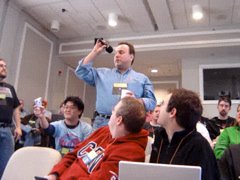
Mr. Blake attended a podcaster conference Saturday, Jan. 7, 2006, in Chapel Hill, NC. He participated in discussions on how schools use podcasting and listened to lectures on advanced podcasting topics. Attendees for this conference included a wide variety of interests and backgrounds. There were men and women from all over the nation participating in the sessions. Presenters in the sessions talked about how they used equipment to create their podcasts.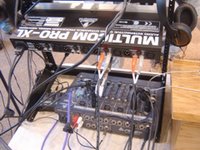 The audience participated in lecture by adding comments to the session based on their personal experiences and personal preferences. Participants in the advanced podcasting session were real experts in their fields. I noticed in the presences of internationally famous podcasters and professional musicians, network engineers from universities, recording and news entertainment media and corporations. One important consideration was that this conference tried real hard to (IMHO) to discourage commercial sponsorship. Those in attendance were more interested in sharing how podcasting works.
  I did not personally attend all the sessions, however topics discussed in those sessions included a variety of issues that included video blogging, copyright issues, and educational podcasting. After lunch, I did participate in Mr. David Warlick's session on podcasting in education.
Podcasting as a Teaching/Learning Strategy
Session Description
It was nice to finally meet Steven Dembo. I have been reading his blog at Teach42.com for some time and listening to his now famous car-podcasts recorded on his way to work as a technology director at in a private school. He has since moved on the a different challenge and I wish him the best. He is a visionary educator. I took some notes on my laptop during the session, however, due to some network issues the wireless network was mostly non-functional. I closed my laptop after becoming frustrated with not being able to blog the session in real-time and probably was able to focus more on what was being said. Steven Dembo was able to login to the wireless network using his laptop and documented some interesting and detailed information on his blog.

A great time!
When my head stops spinning from the facts and tech talk, I will try to sort out an idea or two on the possible instructional values of podcasting that I was thinking about while participating in today's event. L-R: John Blake, Dave Warlick, Steve Dembo, Jean Claude Bradely.
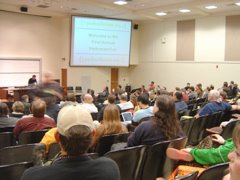
Mr. Blake attended a podcaster conference Saturday, Jan. 7, 2006, in Chapel Hill, NC. He participated in discussions on how schools use podcasting and listened to lectures on advanced podcasting topics. Attendees for this conference included a wide variety of interests and backgrounds. There were men and women from all over the nation participating in the sessions. Presenters in the sessions talked about how they used equipment to create their podcasts.
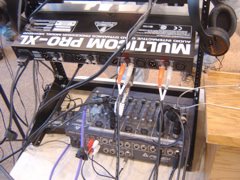 The audience participated in lecture by adding comments to the session based on their personal experiences and personal preferences. Participants in the advanced podcasting session were real experts in their fields. I noticed in the presences of internationally famous podcasters and professional musicians, network engineers from universities, recording and news entertainment media and corporations. One important consideration was that this conference tried real hard to (IMHO) to discourage commercial sponsorship. Those in attendance were more interested in sharing how podcasting works.
  I did not personally attend all the sessions, however topics discussed in those sessions included a variety of issues that included video blogging, copyright issues, and educational podcasting. After lunch, I did participate in Mr. David Warlick's session on podcasting in education.
Podcasting as a Teaching/Learning Strategy
Session Description
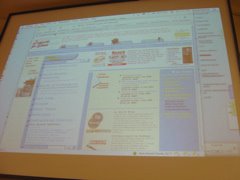
New information and communication technologies are providing students with unprecedented access to the world they are learning about. Classroom walls are becoming invisible through the Internet and the information it causes to flow. What are the potentials of using podcasting to give voice to that world and to give voice to our students? What are the barriers, and what are the key entryways into leveraging global voices in our neighborhood schools? Join us in discussing the potentials and avenues of podcasting in the classroom <--click this link to read more....
It was nice to finally meet Steven Dembo. I have been reading his blog at Teach42.com for some time and listening to his now famous car-podcasts recorded on his way to work as a technology director at in a private school. He has since moved on the a different challenge and I wish him the best. He is a visionary educator. I took some notes on my laptop during the session, however, due to some network issues the wireless network was mostly non-functional. I closed my laptop after becoming frustrated with not being able to blog the session in real-time and probably was able to focus more on what was being said. Steven Dembo was able to login to the wireless network using his laptop and documented some interesting and detailed information on his blog.
Saturday, December 31, 2005
Mount St. Helens releasing lava at astonishing pace
Roughly every three seconds, the equivalent of a large dump truck load of lava -- 10 cubic yards -- oozes into the crater of Mount St. Helens, and with the molten rock comes a steady drumfire of small earthquakes
read more | digg story
read more | digg story
Predictions for Educational Technology in 2006
Anticipation of returning to school bright and early Monday morning, makes me a little nauseous. Maybe it is all the left-overs. Anyway-- while reading my blogines this morning, and drinking several cups of ginger bread flavored coffee, this useless information somehow made its way to my fingers: Predictions for Educational Technology in 2006.
Rob Hof’s article in the weeks BusinessWeek blog caused me to want to copy his writing idea. Thanks Rob. My writing style really lacks in many areas, but if you do not like it, go back to reading your aggregator, listen to PBS radio, or turn off your computer and go stand outside in the fresh air and run around the block.
It you are still read this, I hope you enjoy my stupid list of edtech predictions for the coming year-IMHO (in my humble opinion).
* Steven Dembo’s video wish list will grow to include a huge HDTV screen, Sony Vaio PC (and a Linux box with all the software, to make Miguel smile)
* Skype conference calls will make their way into the science classroom for students to create podcasts that are more “two-way” conversations about science topics and less “one-way” reading of scripts from their textbooks. Marc Pensky will be proud of this.
* Moodle’s new version will be rolled-out. The question is–will I be able to safely update to the new version without distroying months of testbank editing. I predict a major backing-up of our back-up.
* Blogging using MySpace.com and others will continue to be of interest between students, teachers, and administrators and the community.
* Video blogs on the Internet will not be as popular in classrooms due to bandwidth and concern of security for students, but will be used more as a way to communicate with homes. “this week I learned ____ in math and ____in social studies___and about_____ in science”. Including work samples or video clips of student work. Now, for the hard part, I predict homes will continue to not pay attention to what is happening at school until something “goes wrong.” Note: this is not true for all homes, but way too many– IMHO.
Rob Hof’s article in the weeks BusinessWeek blog caused me to want to copy his writing idea. Thanks Rob. My writing style really lacks in many areas, but if you do not like it, go back to reading your aggregator, listen to PBS radio, or turn off your computer and go stand outside in the fresh air and run around the block.
It you are still read this, I hope you enjoy my stupid list of edtech predictions for the coming year-IMHO (in my humble opinion).
* In the wake of publicity about mistakes and fabrications on various entries, the online volunteer-written encyclopedia Wikipedia will see growth skyrocket.
* Psychologists will identify a new disease, tagophilia: the obsessive compulsion to label everything on the Web using del.icio.us and other tagging sites. However, when Web 2.0 companies hear about it, they hire them all, quickly turning a neurosis into a promising new profession. My source: Rob Hof BusinessWeek
* Steven Dembo’s video wish list will grow to include a huge HDTV screen, Sony Vaio PC (and a Linux box with all the software, to make Miguel smile)
* Skype conference calls will make their way into the science classroom for students to create podcasts that are more “two-way” conversations about science topics and less “one-way” reading of scripts from their textbooks. Marc Pensky will be proud of this.
* Moodle’s new version will be rolled-out. The question is–will I be able to safely update to the new version without distroying months of testbank editing. I predict a major backing-up of our back-up.
* Blogging using MySpace.com and others will continue to be of interest between students, teachers, and administrators and the community.
* Video blogs on the Internet will not be as popular in classrooms due to bandwidth and concern of security for students, but will be used more as a way to communicate with homes. “this week I learned ____ in math and ____in social studies___and about_____ in science”. Including work samples or video clips of student work. Now, for the hard part, I predict homes will continue to not pay attention to what is happening at school until something “goes wrong.” Note: this is not true for all homes, but way too many– IMHO.
Friday, December 30, 2005
Top "7" Personal Tech Highlights for 2005
Shared the "podcast-kool-aid" with many educational professionals
Quoted in nationally syndicated magazine: student's using wikis in the classroom
Moodle site launched for online courses in our school district
Posted 8 Classroom Podcast Episodes, listed in iTunes and Yahoo directories: middle school and high school students featured as they reflect on their learning in science class.
Classroom Podcasts noted on Techpod
Technology Facilitator - North Whiteville Academy
Launched P2LS blog
Quoted in nationally syndicated magazine: student's using wikis in the classroom
Moodle site launched for online courses in our school district
Posted 8 Classroom Podcast Episodes, listed in iTunes and Yahoo directories: middle school and high school students featured as they reflect on their learning in science class.
Classroom Podcasts noted on Techpod
Technology Facilitator - North Whiteville Academy
Launched P2LS blog
Watch NOVA programs online for free !
This is a great science classroom resource. The Einstein piece on E=mc^2 isn't online yet, but for now you can watch "Elegant Universe", "Cracking the Code of Life", "Life's Greatest Miracle", "MARS - Dead or Alive?", among many others. . .
read more | digg story
read more | digg story
Tuesday, December 27, 2005
Savings With Open Source in Schools
This has been a point of discussion for some time. Let's assume that none of your school's families have computers and the students only use computers at school, then I can see using open source for teaching computer skills. As long as little Sally's grandmother has a PC with Works and her uncle has a PC with Word, Excel, and Powerpoint-- I see a problem. For example, I have a student that uses OpenOffice at home. When he downloads a template from our Moodle server to create his weekly current event, OpenOffice can open the file with not problem. However, he has never mastered to extra step to save his OpenOffice document to .doc file format. I know it should not bother me that his document does not display the same as the other students, but it actually makes my assessment process more difficult. When teachers use a Word document to assess student's work, we can post comments that can be read and responded to by the student. This comment feature reduces me from having to single out mistakes students make in their writing. From personal experience, and having received many writing assignments with so much red ink marked on them that I could not read them, I try to attach my comments with post-its. It is just one of those quarks of mine.
Using Open Source software Noxon School District saved $92,675.20. Linux and Open Source software allowed this school district to provide cutting edge technology to students.
read more | digg story
Update
I have been schooled on this topic today (Dec. 27th). Now I have a list of links to Linux distros that may work better than Novell's and a list of video editing apps for Linux. Several really good points have surfaced over on Miguel's blog: http://www.mguhlin.net/blog/archives/2005/12/entry_807.htm I have enjoyed replying to this topic. It has provided me with an enlightened view of open source. I still will continue to use our commercial software to edit video with our students and teachers. It works, it is paid for and the teachers know how to use it. Our students are learning how to use it too. As for a question of why we teach them to use video equipment, our state has a standard course of study: In accordance to Objective 3SC.05, "Select and use technology tools for class presentations". This is my justification. I will keep looking for open source software to use in my classroom.
I wonder this: how many people who advocate the use of Open Source in schools are actually using it as their primary OS? We've all got our excuses, but at the end of the day, who's actually walking the talk? I use Moodle and tikiwiki everyday with my students. But, my PowerBook running OS X is what I prefer. I have several apps that are open source running on it. Would I use Linux--absolutely. Should I use it- not without tech support. Would it help our school district- that is a good question and in my humble opinion is out of my realm of influence, yet is still food for thought.
Using Open Source software Noxon School District saved $92,675.20. Linux and Open Source software allowed this school district to provide cutting edge technology to students.
read more | digg story
Update
I have been schooled on this topic today (Dec. 27th). Now I have a list of links to Linux distros that may work better than Novell's and a list of video editing apps for Linux. Several really good points have surfaced over on Miguel's blog: http://www.mguhlin.net/blog/archives/2005/12/entry_807.htm I have enjoyed replying to this topic. It has provided me with an enlightened view of open source. I still will continue to use our commercial software to edit video with our students and teachers. It works, it is paid for and the teachers know how to use it. Our students are learning how to use it too. As for a question of why we teach them to use video equipment, our state has a standard course of study: In accordance to Objective 3SC.05, "Select and use technology tools for class presentations". This is my justification. I will keep looking for open source software to use in my classroom.
I wonder this: how many people who advocate the use of Open Source in schools are actually using it as their primary OS? We've all got our excuses, but at the end of the day, who's actually walking the talk? I use Moodle and tikiwiki everyday with my students. But, my PowerBook running OS X is what I prefer. I have several apps that are open source running on it. Would I use Linux--absolutely. Should I use it- not without tech support. Would it help our school district- that is a good question and in my humble opinion is out of my realm of influence, yet is still food for thought.
Sunday, December 25, 2005
Top 10 little-known science stories of 2005
"A compilation of 10 amazing science stories, all quite interesting. Who would have ever thought that we could use honey bees to find land mines?"
I have a former student that told me after returning from Afganistan that this was something our troops really like to use in caves to go in ahead of his follow ground forces.
read more | digg story
I have a former student that told me after returning from Afganistan that this was something our troops really like to use in caves to go in ahead of his follow ground forces.
read more | digg story
A beautiful view of Saturn for Christmas
One of the latest colour shots of spectacular saturn, from the Cassini probe mission reveal our solar system's unique beauty for all to see as though we were viewing it with our eyes.Few sights in the solar system are more strikingly beautiful than softly hued Saturn embraced by the shadows of its stately rings.
read more | digg story
read more | digg story
Using Performancing to Blog
I am writing this blog entry using my latest Firefox extension-- Performancing. I think this is the best thing I have seen in a while. I really like the way that this extension can be launched by clicking an icon in the lower corner of the browser and start typing. Well, it does not help me write any better, and it does not have a spell checker. This is the real thing.
I think I am going to stick with Blogger's text editor. I have to have spell checker. Not sure how to add an image with Performancing. Maybe it will work if I launch the editor while I am viewing my Flickr account. Have to try this tomorrow.
I think I am going to stick with Blogger's text editor. I have to have spell checker. Not sure how to add an image with Performancing. Maybe it will work if I launch the editor while I am viewing my Flickr account. Have to try this tomorrow.
Saturday, December 24, 2005
Mass Dodo Grave Found- Now this is Real Science!
Scientists have discovered the "beautifully preserved" bones of about 20 dodos at a dig site in Mauritius. This is amazing since no complete Dodo skeleton has ever been found. The mystery is why they are buried together like this...Ok, I have an idea. Maybe the birds were gathered for a Dodo seasonal ritual. They could have been waiting for their other Dodos in their family to arrive at Grandma's house for a dinner, when volcanic ash covered them in a flash. What clues will the scientists be able to pull together? It all depends on how many artifacts they can find still in the area. When lots of bones are found in a dig site, this indicates that the site was not disrupted by erosional forces and was quickly covered after the death of the animals.
I will be studying fossils with my students when we return from our break. This will be an interesting story to have them read.
Still have a couple of last minute shopping items. Have a Merry Christmas. Thanks for reading my blog. If you have just found it, I invite you to add me to your RSS aggregator and constructive comments are always appreciated. I know I can not spell and write like I talk, but blogging helps me try to reflect on what has worked and what needs some work on.
read more | digg story
I will be studying fossils with my students when we return from our break. This will be an interesting story to have them read.
Still have a couple of last minute shopping items. Have a Merry Christmas. Thanks for reading my blog. If you have just found it, I invite you to add me to your RSS aggregator and constructive comments are always appreciated. I know I can not spell and write like I talk, but blogging helps me try to reflect on what has worked and what needs some work on.
read more | digg story
Wednesday, December 21, 2005
OMG -- WWAY is using Digg.com?
In today's email from one of our local area tv stations, I noticed to my surprise that they had linked DIGG.com stories into their web site. I hope to get to the bottom of this. I will email the TWIT crew today and ask if Kevin Rose and the boys at DIGG a news source/syndication. I think it is cool. A little RSS goes a long way. I hope the web guys at WWAY are looking at the feeds. DIGG gets some weird stuff from now and then. The guys at WWAY may need a disclaimer. I wonder if there corporate legal department has signed off on this yet. This is so exciting. It is really a cool example of that Web 2.0 is all about. Hum, I wonder if DIGG news feed would be something our superintendent and school board would allow on our school district's web site? Heck no!!! If one parent called to complain about a single dirty word in a DIGG news article, the link would be DELETED in minutes. Not that DIGG contributors are all evil, but-- well-- call me cautious.
It will be interesting to see how long they keep this on their site.
It will be interesting to see how long they keep this on their site.
Winter Solstice
Dave Winer blogged this morning: "Congratulations, you made it to the shortest day of the year. They all get longer from this point on." His post reminded me of interesting science lessons about seasons.
More Stuff
Cool Picture!
USNO Earth Seasons site
http://upload.wikimedia.org/wikipedia/commons/4/4d/Earth-lighting-winter-solstice_EN.png
More Stuff
Cool Picture!
USNO Earth Seasons site
http://upload.wikimedia.org/wikipedia/commons/4/4d/Earth-lighting-winter-solstice_EN.png
Sunday, December 18, 2005
Electricity generated by mixing sea and river water
Dutch and Norwegian scientists have invented devices that generate electricity by mixing sea and river water. Science news update!
read more | digg story
read more | digg story
How Google woos the best and brightest
Free cafeteria food, annual ski trips to the Sierra and free laundry are just some of the fringe benefits of working at Google...
Maybe school systems that are having a difficult time attracting and retaining qualified teachers and administrators need to read this. Sure, principals eat free in the school cafeteria, but school pizza and french fries somehow pale to the cuisine of Google's cafeteria food. Annual ski trips...hum, I do not know too many teachers in our district that ski. Our district is 5-6 hours from the mountains. Maybe we could offer them a beach trip. Free laundry, now that would be nice! In our town, we could set them up an account at the two local laundries. Our school board actually gave our teachers a free car wash each month for 12 months. That was so nice. This past week, my wife noted that the local suppliment for two systems differs by $400 with about the same years of experience.
Bottom-line: Follow the money! We have only a short time to earn money. The cost of living is higher in different areas of the country, and job security is worthless these days. Buy cheap housing and term insurance. Drive the biggest SUV you can park in your mobile home parking lot space. Also, buy and sell everything at your local flea market. Drink the most expensive water you can find.
Last but not least-- do not follow any of my suggestions. I will have to teach until I am 60 before I can retire. Even then, I will not make enough to live the way I am right now, so I know I will have to continue working as log as my health can hold out or until I get fired.
This is why I work-out at the gym 4-5 times each week. I once told my family I wanted to rust-out, not wear-out. I regret having made that mistake many times. We never listen to advice. Well, I never have. But what do I know, I am just a teacher.
read more | digg story
Maybe school systems that are having a difficult time attracting and retaining qualified teachers and administrators need to read this. Sure, principals eat free in the school cafeteria, but school pizza and french fries somehow pale to the cuisine of Google's cafeteria food. Annual ski trips...hum, I do not know too many teachers in our district that ski. Our district is 5-6 hours from the mountains. Maybe we could offer them a beach trip. Free laundry, now that would be nice! In our town, we could set them up an account at the two local laundries. Our school board actually gave our teachers a free car wash each month for 12 months. That was so nice. This past week, my wife noted that the local suppliment for two systems differs by $400 with about the same years of experience.
Bottom-line: Follow the money! We have only a short time to earn money. The cost of living is higher in different areas of the country, and job security is worthless these days. Buy cheap housing and term insurance. Drive the biggest SUV you can park in your mobile home parking lot space. Also, buy and sell everything at your local flea market. Drink the most expensive water you can find.
Last but not least-- do not follow any of my suggestions. I will have to teach until I am 60 before I can retire. Even then, I will not make enough to live the way I am right now, so I know I will have to continue working as log as my health can hold out or until I get fired.
This is why I work-out at the gym 4-5 times each week. I once told my family I wanted to rust-out, not wear-out. I regret having made that mistake many times. We never listen to advice. Well, I never have. But what do I know, I am just a teacher.
read more | digg story
Thursday, December 15, 2005
Merry Christmas From The RIAA
The music industry dropped 751 copyright-infringement lawsuits in the mail today. Today in my computer class, we were editing their iMovie. I did not read about this "Christmas Present" until after class was over. My students wanted to use their favorite rap star's music to play in the background of their iMovie. We took the time to mention copyright laws. They do not understand it is against the law. My student reply to my mini-lecture on copyright was--"it ain't against the law Mr. Blake, until you get caught."
We live in a challenging world.
read more | digg story
We live in a challenging world.
read more | digg story
Friday is a Half-Day
 This past week, our students have been very busy crafting plaster masks. After applying a layer of petroleum jelly on the faces of the students, three layers of cloth with plaster embedded in it was applied to their faces. We took tons of images of the process. We burned a CD of the images and loaded them on our mobile laptop lab and students edited a short iMovie. Teaching middle schoolers how to use iMovie is a real challenge. They do not get it. I know the project was too complicated for their first iMovie project, but they were engaged in the painting of the masks. I assumed that the students would like to see images of their masks and even take home a DVD to share with family. I am not sure they understand how much their parents would like to see what they have been doing at school. Maybe it is because they do not think that anyone will care?
 I am just very thankful that Friday is a SHORT DAY! I will link a slide show of images posted in Flickr later. I need to rest up!
Tuesday, December 13, 2005
New coke to blend coffee and coke
New "Coke Blak" is a new coffee/coke drink by Coca-Cola. This will fast become a staple in teacher lounges across the nation. I am looking for a case to go in ours today. Maybe WallyWorld has it. Food Lion may have them in about 12 months. I have a friend that works at the Coke distributorship. Must-call-NOW.
Where is that coffee CUP? It is around here some where....later
read more | digg story
Where is that coffee CUP? It is around here some where....later
read more | digg story
The iPod Mini is INCREASING in value.
iPod Mini's are selling on eBay for up to $76 more than the original price, as people now want the player as its less popular than other iPods. This is interesting because both my daughters have them. Sometimes the newest and best is not always the most popular tech toys.
read more | digg story
read more | digg story
Saturday, December 10, 2005
Geek squad found a surprise inside of a PC.
Worth watching. (Google Video) Ok, that is not why I posted this link in my blog for, I did not really find the video that interesting. However, what about using this with college students to post short video productions. I could see my 12th graders, who are over the age of 16, creating short class projects to share with the class on this. The images and content would need to be original and not contain any copyrighted content. For example, I have my students create a video of how to sharpen a pencil. I know Google wants videos like the one I linked to in this blog post. But after reading the fine print, I could not see why my students, could with their own account upload them. I will need to run this by some folks before jumping on this one.
read more | digg story
read more | digg story
Wednesday, December 07, 2005
Apple rumours and realities
Quite a number of pundits have gone out and predicted the appearance of Intel based Powerbooks from Apple this January - but it isn't going to happen.
For my money, I think Steve would love to have announced it last month. He can wait til June now. iPods will carry him over this Quarter. The new PowerBooks will have to be right before they come out. If not, Dell and the other PC laptop companies will "burn Apple a new ONE".
read more | digg story
For my money, I think Steve would love to have announced it last month. He can wait til June now. iPods will carry him over this Quarter. The new PowerBooks will have to be right before they come out. If not, Dell and the other PC laptop companies will "burn Apple a new ONE".
read more | digg story
5000 Gnome Desktops in macedonian schools
The software group Free Software Macedonia has deployed Linux in 468 schools 182 computer labs. Specifically the Ubuntu distro.
This is a neat distro on Linux, I have been looking at it for a few weeks, and think it would really help schools with a bare-bones budget. But, I am not sure the students would like it. Our American students are spoiled rotten! I just wish my spoiled brats could see the smiles on the faces of the Macedonian student's as they learn how to "out score" our students on International math assessments. Oh well--time to head to work.
read more | digg story
This is a neat distro on Linux, I have been looking at it for a few weeks, and think it would really help schools with a bare-bones budget. But, I am not sure the students would like it. Our American students are spoiled rotten! I just wish my spoiled brats could see the smiles on the faces of the Macedonian student's as they learn how to "out score" our students on International math assessments. Oh well--time to head to work.
read more | digg story
Technology Enabled Leather Jacket
Add this to my Christmas List!!!
Definitely a cool idea for those who love taking their gadgets with them. This leather jacket is from the Technology Enabled Clothing line of Scottevest - and it has 41 pockets, many of them hidden, along with a tunnel architecture to keep headphone wires inside the lining of the jacket!
read more | digg story
Definitely a cool idea for those who love taking their gadgets with them. This leather jacket is from the Technology Enabled Clothing line of Scottevest - and it has 41 pockets, many of them hidden, along with a tunnel architecture to keep headphone wires inside the lining of the jacket!
read more | digg story
Your Name On A NASA Microchip
How Cool is this?
Send your name to the asteroid belt on the Dawn spacecraft. Your name will be recorded onto a microchip that will be placed aboard the spacecraft accompanying it on its mission to the asteroid belt.
read more | digg story
Send your name to the asteroid belt on the Dawn spacecraft. Your name will be recorded onto a microchip that will be placed aboard the spacecraft accompanying it on its mission to the asteroid belt.
read more | digg story
Mars Rovers may be seeing their Last days....barely chugging along
Signs of fatigue are beginning to show: Around 10 days ago, the mechanical arm on Opportunity stopped moving, One of the steering actuators has also blown on Opportunity, Rock Abrasion Tool has worn out...
read more | digg story
read more | digg story
Monday, December 05, 2005
Meteor Impact Craters - Google Satellite Map
Some of these craters in the Earth are massive, and many people don't even realize they're there...... see if there's one near you.....This is a great site for Earth Science students to view. We have the free version of Google Earth installed on our PCs. Nice tool, now we need to setup a workshop to create curriculum materials to use in our classrooms.
Anyone got any resources or links to share?
read more | digg story
Anyone got any resources or links to share?
read more | digg story
NASA ditches IE in favor of Firefox
This got my attention:
According to Dan Turner "NASA has given up entirely on Internet Explorer. Now every time you go to a page using IE, you get up to three prompts telling you how risky it is to run scripts. The official line is that the newest IE vulnerability was the proverbial straw, and now NASA's standard browser is Firefox."
Firefox is the default on our school computers.
read more | digg story
According to Dan Turner "NASA has given up entirely on Internet Explorer. Now every time you go to a page using IE, you get up to three prompts telling you how risky it is to run scripts. The official line is that the newest IE vulnerability was the proverbial straw, and now NASA's standard browser is Firefox."
Firefox is the default on our school computers.
read more | digg story
Saturday, December 03, 2005
Open House Ideas for Our School? My 2 Cents
While reading my blogline rss feeds this morning, I ran across a neat idea at Education World's site. http://www.educationworld.com/a_tech/tech/tech221.shtml
What will you do at parent open house night to demonstrate that your classroom is one in which technology will be used appropriately and effectively? The Ed World Tech Team has some suggestions.
"is to have students create multimedia presentations depicting the experiences they had over the summer. Some students might use slide show technology to create their presentations; others might choose video/DVD. It depends on what's available. Having students create that kind of presentation early in the school year also can be a great introductory exercise to help them get to know a bit more about one another."
This sounds really interesting. However, in our alternative school, our students transfer in at different times. I am not sure this is an idea we could accomplish, but I still like it.
"Another idea is to have students create electronic portfolios of their activities over the summer or even during the school year,"
I have tried this, but it is a challenge for me to keep up with folders and files when students forget to save their work to the server and never remember which computer they created content on. I think the only way to do this would be if students had their own thumb or flash drive which they would be assigned to keep all their eportfolio activities on. Every week, they could back the info up on the server for safe keeping. They can not keep up with a pencil much less a $50-80 thumb drive. Sorry, printed copies are alot harder for teenages to drop in the toilet or someone steal them from them (just to list a couple fo the excuses I have heard). This is a work in progress with many challenges.
"PowerPoint presentations composed of pictures of each student and a quick sentence work well, too," Wonnacott noted. "I take a picture of each child at his/her desk, load them into PowerPoint and have students, one at a time, write a sentence of welcome to mom and dad. I want to expand on that idea this year with my eighth grade students. Because this is their last year here, I plan to use my Mavica to take a small video clip of each of my 8th graders and then ask each of them to relate a grade school memory."
Of the ideas that are in this article, this might really be the best. We have tried the student faces pics, but I like the idea about the students writing a sentence of welcome to the "parent figures." We also have taken short video clips, but not of everyone. We have students that do not allow their faces photographed. But, if they knew it was for parent night, that might work! I like it.. I like it
"I also have third graders make their own slide shows of math facts, with and without the answer," said Wonnacott. "I loop these together and show them on one computer, as well. My fifth graders currently are making PowerPoint presentations about our 50 states, researching and displaying facts as a technological poster, which I hope to be able to display at Open House night too."
This will work too. Our math teacher is tech savvy. He actually have created vodcasts of his students. I need to work with him on these, just do not know when. Not sure if I understand the idea of their states poster...I need more infor on this one.
"At open house," Greene noted, "the teacher can display as many projects as possible -- one to a computer. Parents can navigate through them to see what their kids can do. Hypermedia projects also can be posted online. Those parents who cannot attend the open house can still navigate through the class' projects through their Web browser."
Links to projects on our school website would be great. Nice touch and also involves the community
"For the teacher who has advanced computer skills," Lucy Gray told Education World, "I'd recommend doing a podcast of material you plan to cover with parents at Open House. Publish the podcast after the actual event so parents can download the audio file and listen to it on their computer or on their iPod. That really could be helpful to parents who miss open house, as well as to parents who want to review information. Mabry Online has some great examples of podcasts that benefit both parents and teachers. Teachers also might record students reflections on an assignment or on a particular aspect of school and make a podcast of their reflections too."
Oh man, I like this idea. I have been podcasting from my classroom for about 10 weeks or more. Creating an Open House podcast is a good idea. One tip I have picked up on it having a CD of our podcasts for students to check out and take home to shair with their family. We have a family holiday dinner coming up Dec 15th. This article gave me an idea to creat electronic portfolios for each family as a gift. If I can find time to do them!!!
"For less technically inclined teachers," Gray suggested digital photos in a slideshow format. "These always are a good way of giving parents an idea of what is going on in your classroom. Slide shows can be created in iPhoto or PowerPoint. They can be jazzed up by having students narrate the shows or by including music created by the students."
I try to take pictures of other teachers working in their classrooms. I just need to put the pictures on their H drives and show them how to access them for this great technology activity. I like this one!!!
What will you do at parent open house night to demonstrate that your classroom is one in which technology will be used appropriately and effectively? The Ed World Tech Team has some suggestions.
"is to have students create multimedia presentations depicting the experiences they had over the summer. Some students might use slide show technology to create their presentations; others might choose video/DVD. It depends on what's available. Having students create that kind of presentation early in the school year also can be a great introductory exercise to help them get to know a bit more about one another."
This sounds really interesting. However, in our alternative school, our students transfer in at different times. I am not sure this is an idea we could accomplish, but I still like it.
"Another idea is to have students create electronic portfolios of their activities over the summer or even during the school year,"
I have tried this, but it is a challenge for me to keep up with folders and files when students forget to save their work to the server and never remember which computer they created content on. I think the only way to do this would be if students had their own thumb or flash drive which they would be assigned to keep all their eportfolio activities on. Every week, they could back the info up on the server for safe keeping. They can not keep up with a pencil much less a $50-80 thumb drive. Sorry, printed copies are alot harder for teenages to drop in the toilet or someone steal them from them (just to list a couple fo the excuses I have heard). This is a work in progress with many challenges.
"PowerPoint presentations composed of pictures of each student and a quick sentence work well, too," Wonnacott noted. "I take a picture of each child at his/her desk, load them into PowerPoint and have students, one at a time, write a sentence of welcome to mom and dad. I want to expand on that idea this year with my eighth grade students. Because this is their last year here, I plan to use my Mavica to take a small video clip of each of my 8th graders and then ask each of them to relate a grade school memory."
Of the ideas that are in this article, this might really be the best. We have tried the student faces pics, but I like the idea about the students writing a sentence of welcome to the "parent figures." We also have taken short video clips, but not of everyone. We have students that do not allow their faces photographed. But, if they knew it was for parent night, that might work! I like it.. I like it
"I also have third graders make their own slide shows of math facts, with and without the answer," said Wonnacott. "I loop these together and show them on one computer, as well. My fifth graders currently are making PowerPoint presentations about our 50 states, researching and displaying facts as a technological poster, which I hope to be able to display at Open House night too."
This will work too. Our math teacher is tech savvy. He actually have created vodcasts of his students. I need to work with him on these, just do not know when. Not sure if I understand the idea of their states poster...I need more infor on this one.
"At open house," Greene noted, "the teacher can display as many projects as possible -- one to a computer. Parents can navigate through them to see what their kids can do. Hypermedia projects also can be posted online. Those parents who cannot attend the open house can still navigate through the class' projects through their Web browser."
Links to projects on our school website would be great. Nice touch and also involves the community
"For the teacher who has advanced computer skills," Lucy Gray told Education World, "I'd recommend doing a podcast of material you plan to cover with parents at Open House. Publish the podcast after the actual event so parents can download the audio file and listen to it on their computer or on their iPod. That really could be helpful to parents who miss open house, as well as to parents who want to review information. Mabry Online has some great examples of podcasts that benefit both parents and teachers. Teachers also might record students reflections on an assignment or on a particular aspect of school and make a podcast of their reflections too."
Oh man, I like this idea. I have been podcasting from my classroom for about 10 weeks or more. Creating an Open House podcast is a good idea. One tip I have picked up on it having a CD of our podcasts for students to check out and take home to shair with their family. We have a family holiday dinner coming up Dec 15th. This article gave me an idea to creat electronic portfolios for each family as a gift. If I can find time to do them!!!
"For less technically inclined teachers," Gray suggested digital photos in a slideshow format. "These always are a good way of giving parents an idea of what is going on in your classroom. Slide shows can be created in iPhoto or PowerPoint. They can be jazzed up by having students narrate the shows or by including music created by the students."
I try to take pictures of other teachers working in their classrooms. I just need to put the pictures on their H drives and show them how to access them for this great technology activity. I like this one!!!
Sunday, November 27, 2005
Social Bookmarking - An Updated Look
Blogging, wikis, social bookmarks and photos, are example of folksomous applications. According to Wikipedia, "Folksonomy is a neologism for a practice of collaborative categorization using freely chosen keywords. More colloquially, this refers to a group of people cooperating spontaneously to organize information into categories. In contrast to formal classification methods, this phenomenon typically only arises in non-hierarchical communities, such as public websites, as opposed to multi-level teams. Since the organizers of the information are usually its primary users, folksonomy produces results that reflect more accurately the population's conceptual model of the information. Folksonomy is not directly related to the concept of faceted classification from library science." Here some ideas I have been using in my classroom this past school year. In this post I want to reflect on using bookmarks with my kids.
External Links from Wikipedia.org (updated 11-27-05)
Comparison of 19 different social bookmarking services
Social Bookmarking Tools (I): A General Review
Social Bookmarking Tools (II): A Case Study - Connotea
Social Bookmarking Tools (III): A Case Study - BlinkList for online learning
Social Bookmarking Resources
No, I have neither used nor evaluated all these bookmarking tools. I would recommend teachers interested in using social software to create an account and use it throughly before asking your students use it. Check to see if the tool is appropriate for classroom use. Ask your administrator's permission might save you some hassles down the road. My point is that classroom teachers are not experts in technology. These bookmarking tools are not correlated with our North Carolina standard course of study. Science teachers in North Carolina have to focus on covering the objectives and making sure everyone masters them for the EOC tests. So, spending time bookmarking links that are not on related to specific goals is a real waste of class time. Most classrooms still only have one or maybe two computers for students to use. If a science teacher wants to use computers, they could sign-up for the laptop cart. Computer labs are nice, if teachers have time to setup software they can use. I have found that I need more than bookmarks. In my next post, I will outline how I have been using Blogs, Wikis, and Moodle to help manage my instructional content for my classroom.
One more thing...David Warlick is facilitating a workshop in Downers Grove, Illinois this week. The topic will be using the read/write web (web 2.0) in schools. The workshop will be unique in that it is designed not only to pass knowledge and skills on to participants, but to tap into their unique perspectives to generate new knowledge.
The workshop will employ a wiki, that these educators will populate with their ideas about integrating these new information tools into the teaching and learning process.
Social bookmarking
What is it? And how have I been able to use a few of these in my classroom?
It is an activity performed over a computer network that allows users to save and categorize (see folksonomy) a personal collection of bookmarks and share them with others. Users may also take bookmarks saved by others and add them to their own collection, as well as to subscribe to the lists of others. - a personal knowledge management tool. When I first got Internet in my classroom, I thought as the teacher, I had to look up all the links and students should not use any other resources. I had a major concern with students not having high time on task. I still have some students that due to ADD would take all year to find images of three types of mountains to illustrate a simple report. For this reason, I like having several bookmarks for students to use. I continue to modify my assignments. Still looking for the right mix or blend of learning activities to engage different levels and abilities of learners. One size does not fit all, but I try to meet their needs.
Teachers have been experimenting with social bookmarking for a couple of years. Last school year my students tried to use Del.icio.us, but had trouble understanding the utility of this tool. It seems my students are not accustomed to the bennefits of sharing their knowledge. We need to somehow help our students get their minds around how to use Del.icio.us to help everyone. We have not tried My Web 1.0 BETA by Yahoo! As pointed out by Wikipedia, "Drawbacks of current implementations include: single word categories, although many services allow multi-words to be enclosed in inverted commas, no mechanism to define or refine categories, no synonym/antonym control or related terms & no hierarchy." I tried setting up a Del.icio.us account for a photography class I taught last spring. We spent a couple of classes on using Del.icio.us, but for whatever reason, my students preferred to just Google the topics they were looking for. For example, if asked to create a report on the debate between CMOS or CCD chips in digital cameras, they would just Google digital cameras.
A useful feature is RSS feeds per category (tag) that you can subscribe to - alerting you to new links in your areas of interest.
Tools
- BlinkList social bookmarking with slick interface and new ways for organizing tags. Mike ? share via email a review of one of the social bookmarking sites recommended for teachers and students: Learning in Blink of Eye.
- BlogMarks a variation with thumbnails and Atom enabled
- CiteULike social bookmarking for academic papers
- Connectedy This service allows the establishment of pseudonymous online link libraries. Users may impose arbitrary categorical hierarchies on their links and choose which categories and links to make public and which ones to keep private. The Connectedy site has particularly good SEO properties.
- de.lirio.us an open-source clone of del.icio.us, open data formats & private bookmarks
- del.icio.us currently the most used software application
- digg social bookmarking system where the links that are decided to be more popular, are "dug" to the homepage. I must confess, a day without digg.com is a day without light. I am hooked. However, I am hesitant to use this in my middle school science class. Most diggers are very responsible, and appropriate for younger learners. I have read a few posts that are not something middle schoolers can handle. This bookmarking tool is still evolving and for classrooms, the content needs to be more customizable. One idea I had was to create a Digg profile for my science classes. Then have students create their profile and then add the other students in their list of "Digg Friends." This would provide a shared list of article students have dug or read. A cool feature that I have still not tried with a class using Digg is the feature it has that lets users publish an RSS feed of their Digg. Here is my DIGG feed-- feed://digg.com/rss/jmmb/index2.xml
- FeedMeLinks Social Bookmarking
- Furl similar to del.icio.us: stores copies of the pages saved. I have tried this with one of my classes, and My Furl Account My school uses Foxfire for our default browser to reduce spyware and Furl does not support "save page". If you are using IE, Furl will let you save the page you have bookmarked. This is a real benefit if you are bookmarking photos of animals or landscapes. I like this idea, however we just prefer Foxfire.
- linkblog Portuguese
- Live Bookmarks Share your bookmarks, RSS feeds for all bookmarks. Easily add keywords for your bookmarks. Instant searches.
- LQ Bookmarks Social Bookmarking, tagging and annotating all things Linux and Open Source (OS). This could your students save money on their home computers. OS is wonderful. We have MS Office on all our computers.
- Netvouz social bookmarking using either categories or tags. Share bookmarks online or keep them private.RSS feeds for all bookmarks.
- Network Menus– Social Bookmarking within a web browser toolbar
- O Y A X A fast and quick social categorized bookmarking service with groups
- RawSugar– Socially enhanced web search based on hierarchal tagging of bookmarks and favorites. Include s multi-word categories, mechanism to define and rename categories, and hierarchy
- Scuttle another open-source clone of del.icio.us. scuttle.org, leze.de and IndiaGram amongst others are based on the scuttle software.
- SimilarThings social website creation and management. Folksonomy-driven websites
- Simpy social bookmarking with tagging and full-text searching. I got an email comment that reads: "Hi, For what it's worth, a bunch of students recently started using Simpy for their courses. Simpy is a social bookmarking site that I see you mentioned in your previous blog entry..." So, check out Simply.com. I would like to learn more about API hacks so I could customize features for my classes. Not really sure what I would like to be able to do (that is part of the fun with Flickr is to see what creative apps users come up with)
- Spurl similar to del.icio.us: stores copies of the pages saved
- Swicki A swicki is new kind of search engine that allows anyone to create deep, focused searches on topics you care about. Unlike other search engines, you and your community have total control over the results and it uses the wisdom of crowds to improve search results. added June 4, 2006.
- Sync2It's BookmarkSync Effortless social bookmarking, millions of hand-picked sites, real-time RSS feeds, public & private collections.
- taghopFollow where people are going, what they are thinking, how they rate and what they say.
- unalog open-source bookmarking software written in python.
- Wiklink Tools to synchronize bookmarks with your browser.
- Wists Visual bookmarks, wishlists, photoblogs.
- wURLdBook Share webreferences and rss feeds with others and more.
- URLex Personal/Friends/Community bookmarking and rss feeds
External Links from Wikipedia.org (updated 11-27-05)
Comparison of 19 different social bookmarking services
Social Bookmarking Tools (I): A General Review
Social Bookmarking Tools (II): A Case Study - Connotea
Social Bookmarking Tools (III): A Case Study - BlinkList for online learning
Social Bookmarking Resources
No, I have neither used nor evaluated all these bookmarking tools. I would recommend teachers interested in using social software to create an account and use it throughly before asking your students use it. Check to see if the tool is appropriate for classroom use. Ask your administrator's permission might save you some hassles down the road. My point is that classroom teachers are not experts in technology. These bookmarking tools are not correlated with our North Carolina standard course of study. Science teachers in North Carolina have to focus on covering the objectives and making sure everyone masters them for the EOC tests. So, spending time bookmarking links that are not on related to specific goals is a real waste of class time. Most classrooms still only have one or maybe two computers for students to use. If a science teacher wants to use computers, they could sign-up for the laptop cart. Computer labs are nice, if teachers have time to setup software they can use. I have found that I need more than bookmarks. In my next post, I will outline how I have been using Blogs, Wikis, and Moodle to help manage my instructional content for my classroom.
One more thing...David Warlick is facilitating a workshop in Downers Grove, Illinois this week. The topic will be using the read/write web (web 2.0) in schools. The workshop will be unique in that it is designed not only to pass knowledge and skills on to participants, but to tap into their unique perspectives to generate new knowledge.
The workshop will employ a wiki, that these educators will populate with their ideas about integrating these new information tools into the teaching and learning process.
Wednesday, November 23, 2005
NWA Spelling Bee Champion 2005
Niko is our North Whiteville Academy spelling champion. We are very proud of his accomplishments. Geez, I hope I spelled all this correctly...

Saturday, November 19, 2005
Maths and Science Education Gets Animated and Collaborative Online
The WebLabs project, sponsored by the IST program, has developed an approach to teaching young people math and science that employs virtual models of abstract ideas and Web-based collaboration. The project involved the participation of technologists and educationalists who worked with ...
read more | digg story
read more | digg story
Sunday, November 06, 2005
Cool New Tool or Trouble Squared?
While reading Tim Lauer's blog post today, and thinking about how my students are like to mix and match media to create their own information I had an Ah-Ha Moment. Ok, instead of having my students create current event in a MS Word Document, why not have them setup a blog in Blogmeister, and then use the RSS feed to create a joint Super Glu blog page to aggregate their links and articles. I am not sure we will be able to make it all work together. The most troubling issue or problem I see is how we are going to avoid breaking copyright laws.
I have not gotten my head around this one. Interesting and concerning.
Would love to read more about this one. I need to set up a Technorati search for this topic and see what is being said about it.
I have not gotten my head around this one. Interesting and concerning.
Would love to read more about this one. I need to set up a Technorati search for this topic and see what is being said about it.
Sunday, October 30, 2005
Gallery of best panoramic scenes
"VirtualParks is the creation of Erik Goetze, who has shot thousands of wilderness panoramas. Each panorama captures a full 360 degrees of scenery. Locations range from parks in Canada, California, Oregon, Utah, New Mexico & Colorado to the Swiss, French, and Italian Alps." Check also the 121 Full Screen VRs.
read more | digg story
read more | digg story
Thursday, October 20, 2005
Podcasting in Science? Why Not?

One of projects I have been enjoying this school year has been the creation of podcasts in my classroom. Think of a podcast as a radio show. Each show consists of a series of individual episodes that you can listen to how you want — on your PC, using your MP3 player, or with just a web browser.
If you've never listened to podcasts, you're in for a treat. Sports, comedy, movies, food, politics, music, books, speeches, walking tours, whatever — you name the topic and you'll find podcasts about it. Not only do you have incredible choice, you can listen whenever and wherever you want.
You can listen to these episodes one at a time (say using your web browser) or you can 'subscribe' to the entire podcast series using software on your PC. When you subscribe to a podcast, all new shows will be automatically downloaded to your computer as they are published. And if you have an MP3 player, the next time you sync your device, your podcasts will b downloaded for listening on the go.
View the list of 8 episodes on Podcast.Yahoo.com and click on the listen button to hear our podcasts without any special software.
Ok, why is a science teacher interested in using podcasting in a science classroom. This requires us to reveiw how knowledge & understanding is impacted by classroom instruction. Podcasting allows students time to explore areas of curiosity. If a question arises during the brainstorming and writing of podcast scripts, we discuss those ideas and redirect the discussion back to our current topic. This process of pre-writing provides lessons that are intellectually challenging. If the student has a question, the teacher does not just give the answer. The teacher answers the question with a question. Planning lessons for students to podcast can help students connect areas of learning and have students compare and contrast to search for relationships. During the brainstorming, the teacher asks students to use mind mapping tools to graphically organize the concepts in the lesson. Students are able to record their observations and data as they use a discovery approach to learning whenever possible.
Approaching topics of learning from various angles motivate students. Students need the variety of instructional strategies to stimulate their minds. A textbook and worksheets bore our digital native students to tears. When the teacher posts the podcasts on the Web and provides the students with the url so they can share what they are learning in class with family memeber, podcasting provides opportunities for philosophical thought and discussion.
The purpose of a podcast is not to teach them to use the technology or impress the principal. Podcasting is how digital native students think. They mix and match everything-- why should we think they would not be motivated by podcasting? IMHO, it is sneak learning, and we have to do whatever it takes to help them learn.
Friday, October 14, 2005
ComicLife in My Classroom?
This is an exciting classroom tool. I had every student in our school talking about the new comic book program.
According to their site: "plasq is a small group of passionate people, working to create better computer interfaces.
We work towards creating simpler, more inspiring, more flexible and natural interfaces than ever before. Find the file you're looking for - to create what's in your mind - to express yourself.
We want to raise your expectations in digital products. We want you to know that using a computer can be as rewarding and expressive as a paintbrush, a guitar, or some playdough.
We will have reached that goal when you forget our interfaces are there or you are simply just having fun!"

According to their site: "plasq is a small group of passionate people, working to create better computer interfaces.
We work towards creating simpler, more inspiring, more flexible and natural interfaces than ever before. Find the file you're looking for - to create what's in your mind - to express yourself.
We want to raise your expectations in digital products. We want you to know that using a computer can be as rewarding and expressive as a paintbrush, a guitar, or some playdough.
We will have reached that goal when you forget our interfaces are there or you are simply just having fun!"
The Gift of ADHD
Studies suggest that many of the traits kids with ADHD exhibit can be expressions of deeper gifts: powerful imagination, searching insight and unusual intuition...in other words get off the ritalin, if your doctor tells you. As a classroom teacher, we are not allowed to discuss medication with students. However, every time a big story comes out in the media, teachers a bombarded with questions from their peers. This article is for information to my readers. Bottom line to me is if a student in my classroom is out of control to the point that the student totally distracts and interupts the learning process for more than a week, and the parents are not getting a divorce--then if the student is not on meds, I have to start taking mine...Thank God for extreme workouts in the gym. That is my 'medication.' I think most the issues with the students I have run into has been just that: they are couch potatoes, in homes of couch potatoes and no one gives a crap. The worst ones have been addicted to smoking (all types of 'smokes') and experimenting with other self-medications. The true ADHD students I have taught or attempted to tolerate in a class, have only been successful when they either learn to use the computer and pour all their energy in to that--I read that reading email makes you just as dumb as if you are smoking a joint, not sure if that is true, but computers calm some of the worst cases. The other thing is to get the ADHD student on a football field. Bamm! Let them get their thrills by cracking helmets for a few months. That has a way of helping them focus in class the next day. Just my two cents worth....
read more | digg story
read more | digg story
Monday, October 10, 2005
Yahoo! Podcasts Directory is Live
I was impressed with Yahoo's new podcast directory. It will be interesting to see what Dave Winer has to say about it. I do not think he will have much to say that is nice about Yahoo's attempt to get on the bandwagon. I like the fact that Yahoo listed my classroom podcast without my having to beg them or go through any techie mumbo jumbo to list my little podcasts.
Sunday, October 02, 2005
10 Foods You Should Never Eat
This will make an interesting discussion topic at the school lunch room tomorrow.
read more | digg story
read more | digg story
Saturday, October 01, 2005
Reflection: Using Podcasts in the Classroom
Here is something I learned and wanted to share it with my readers that may be are working with podcasts like I am in the classroom. I am interested in converting student audio files from AAC to mp3. I know audiophiles will think I am crazy, because AAC has better sound quality than mp3, and smaller file size, but I am looking for a simple portable way for my students to be able to create their own podcasts when they leave my class. I am looking at an online service that is in alpha testing that might fit the bill. I have agreed not to talk about the alpha testing in my blog, so for now, let’s just say if the cost of this service is not too high, it has great potential. My ultimate educational goal in teaching my students to podcast is much more complex and challenging than my instructional goals.
From an instructional point of view, my kids could be using our dusty cassette recorders to record podcasts. Which might not be a bad idea. I overheard one of my best students tell his classmate that he was going to go to Walmart when he went home from his group home and buy him a microphone to use on his mom's computer to record his own podcasts. Well, that spoke volumes. He is now self-motivated to learn, to explore new avenues of expression. Through experiencing podcasting in our classroom, he is now excited about the potential of his knowledge and to me, in my humble opinion is what education is really all about. He is now the expert. Before we started podcasting, this student had never experienced success in the classroom. I am not at liberty to tell how awful this child's educational history is on paper. Let's just put it this way, if he were my child, I would not be able to hold my head up in public. However, he is now a leader in my classroom. It is like magic. Technology and consistent positive feedback from his peers about it speaking voice, and the since of accomplishment is really what has produced the changes I have witnessed. I have to keep it in prospective because, in talking to his social studies teacher, I have discovered he is not doing well in her class. So, my next goal is to convince his social studies teacher to let him create podcasts about what he is learning in her class as well! BAMM—LET”S STEP IT UP A NOTCH!!!! in the words or the chef Emeril Legasse.
This idea of empowering students to create their own voice in what they are thinking and ultimately learning goes along with helping them become life long learners. If they are auditory learners, the spoken word is invaluable to them. Podcasting helps them find that voice and no matter where they end up in life, being able to communicate is going to be a tremendous skill for them to have.
From an instructional point of view, my kids could be using our dusty cassette recorders to record podcasts. Which might not be a bad idea. I overheard one of my best students tell his classmate that he was going to go to Walmart when he went home from his group home and buy him a microphone to use on his mom's computer to record his own podcasts. Well, that spoke volumes. He is now self-motivated to learn, to explore new avenues of expression. Through experiencing podcasting in our classroom, he is now excited about the potential of his knowledge and to me, in my humble opinion is what education is really all about. He is now the expert. Before we started podcasting, this student had never experienced success in the classroom. I am not at liberty to tell how awful this child's educational history is on paper. Let's just put it this way, if he were my child, I would not be able to hold my head up in public. However, he is now a leader in my classroom. It is like magic. Technology and consistent positive feedback from his peers about it speaking voice, and the since of accomplishment is really what has produced the changes I have witnessed. I have to keep it in prospective because, in talking to his social studies teacher, I have discovered he is not doing well in her class. So, my next goal is to convince his social studies teacher to let him create podcasts about what he is learning in her class as well! BAMM—LET”S STEP IT UP A NOTCH!!!! in the words or the chef Emeril Legasse.
This idea of empowering students to create their own voice in what they are thinking and ultimately learning goes along with helping them become life long learners. If they are auditory learners, the spoken word is invaluable to them. Podcasting helps them find that voice and no matter where they end up in life, being able to communicate is going to be a tremendous skill for them to have.
Tuesday, September 27, 2005
E = mc2 Explained
How would 10 top physicists two Nobel Prize winners among them describe Einstein's equation to curious non-physicists? Listen online by selecting Play All or choose individual clips below. PBS NOVA as some real cool podcasts. Check them out.
read more | digg story
read more | digg story
Knoppix 4.0.2 DVD Released
The latest version of everyone's favorite bootable Linux distro is now available. The long-awaited DVD release was pushed out to FTP sites on the 24th of September; torrents are now available. Grab it while it's hot and seed it till you bleed. My students like Knoppix because it lets them have control over their computer or their parent's computer. Last year, one of our students used a school computer to download Knoppix. He then attempted a hack on his father's company computer. It cost his father several hundred dollars to have a tech rep restore the company PC. His father was not very happy at me. I told him he had been punished at our school. We just did not allow him any computer access on our school network. So, download it on your own time. You will need a DVD burner to create the disc.
read more | digg story
read more | digg story
Sunday, September 18, 2005

Saturday, September 17, 2005
Apple to drop another bomb soon!
According to some sources Apple is planning to realease their new computers as early as next week. This is hopefully true, but it will still be next year before our school will buy more computers...maybe! I would love to have a super fast laptop, but the G4 Al Book I am using now is plenty fast for me. I can not wait to see if Steve is really ready to launch actual new computers yet.
read more | digg story
read more | digg story
Love the GIMP, hate it's look? GIMPshop, the GIMP that acts like Photoshop
If you love Photoshop and hate the GIMP because of its unusual interface, you need to use GIMPshop. - An article on the newly popular GIMPshop.
This is a piece of software I plan to add today to my classroom iBooks. My students can edit images with iPhoto, but GIMP is full featured. Now, I need to find a good tutorial for my middle school students to use...I will post more on this project soon.
read more | digg story
This is a piece of software I plan to add today to my classroom iBooks. My students can edit images with iPhoto, but GIMP is full featured. Now, I need to find a good tutorial for my middle school students to use...I will post more on this project soon.
read more | digg story
Friday, September 16, 2005
Multiple Linksys WRT54G Vulnerabilities
Several severe flaws have been recently discovered with Linksys WRT54G wireless routers. If you have one, patch it up now.
read more | digg story
read more | digg story
Wednesday, September 14, 2005
Rain from Ophelia
Well, not school again today. We missed yesterday and today. We will make-up yesterday on this coming Saturday. That is will interesting. I think the worst is past us (1:49 p.m.) Maybe not, the wind just rattled the windows here at the house. This image was taken about 12 noon. I am thinking about creating. Hope to get out and ride around and take some more stills after the Soaps are over on TV. Not that I watch them...my wife does and I am going to get her to drive so I can take some video and stills without having to worry about running into someone...

Sunday, September 11, 2005
My Class Podcast Project Update
Friday, I tried to have my students record their thoughts on what they had been doing in middle science this past week. I had them brainstorm on what they had been doing in class as we study the growth of plants. One of my students has a speech impediment so I modified the assignment so that student could create an iMovie report instead of creating a podcast. I noticed something very obvious-- they do not have a clue what the learning objectives are for this activity! They are just going through the motions! Some students could sort of tell me what we had been doing. This made me realize that I need to do a better job making sure they know what we are doing and why.
I think I will ask them to write a paragraph, in a journal each day. I need to decide what they need to record in their journal entries. Then next Friday, they will have some ideas to include in their podcast. Basically, it is a writing issue. If they can not write it, they do not know it.
I plan also to include more concept maps for them to use. This may help them organize what they are learning.
Bottomline- trying to get my students to create a short audio clip of what they are learning is not easy. The process seems to offer some challenges that I have to address before I stick a microphone in their face and start asking questions. I have to figure out a way to make them successful.
Monday, September 05, 2005
AJAX Powered Online Calendar!!!
Certain apps tend to jump out for Ajaxian writers. The online calendar is one of them, and Kiko has stepped up to the plate with their offering.
read more | digg story
read more | digg story
Saturday, September 03, 2005
Amazing News: New Mars Image from Spirit
Working atop a range of Martian hills, NASA's Spirit rover is rewarding researchers with tempting scenes filled with evidence of past planet environments. I would not have imaged that Spirit could have lasted this long. This is incredible. They should have named it the "Little Train that Could."

read more | digg story
read more | digg story
Google Maps adds Katrina Tab
Now along with "Map", "Satellite", and "Hybrid" a red "Katrina" tab has been added when a map of New Orleans is search for using maps.google.com
Now this is using technology. Two thumbs up for this link. I can not wait to share this with my students.
read more | digg story
Now this is using technology. Two thumbs up for this link. I can not wait to share this with my students.
read more | digg story
Wednesday, August 31, 2005
Katrina Aftermath Blog: New Orleans Before/After Satellite Photos
New Orleans Before/After Satellite Photos
A picture is worth...
check this out. Words just do not work.
A picture is worth...
check this out. Words just do not work.
Sunday, August 28, 2005
Graduate
Congrats to Ashley for earning her high school diploma. This is what teaching is really all about, helping students see their potential and not allowing them to give up on themselves.


Saturday, August 27, 2005
Playlist: How to create a vodcast
How to create a vodcast
Steps for offering video on demand
By Christopher Breen
Podcasts are so last month. If you want to get in on the hip trip, you'll turn your attention (and camcorder) to vodcasts--Video-On-Demand-casts, that is. No, this isn't stuff of the future. By following the steps I'm about to outline you can create and distribute a downloadable vodcast today.
Ok, we never mastered podcasting. So, maybe we should jump right into vodcasts? Got to try this with my students...
Steps for offering video on demand
By Christopher Breen
Podcasts are so last month. If you want to get in on the hip trip, you'll turn your attention (and camcorder) to vodcasts--Video-On-Demand-casts, that is. No, this isn't stuff of the future. By following the steps I'm about to outline you can create and distribute a downloadable vodcast today.
Ok, we never mastered podcasting. So, maybe we should jump right into vodcasts? Got to try this with my students...
Monday, August 15, 2005
Sunday, August 14, 2005
The future of broadcasting
As a teenager, I worked at a local FM radio station (1972-73). The only part of the broadcast schedule they would let me work was from 6 A.M Sunday morning, until 1:30 P.M. that afternoon. I would occassionally work other schedules to fill-in. It was a magical job for me. A miserable summer spent mending a broken arm from sliding in home plate while playing baseball and a reel to reel reocorder and microphone had given me the bug. I hooked up a record player using patch cables to the recorder and practiced announcing the hits like Dick Clark on his American Bandstand show. I asked a friend of mine about working at the radio station and he told me I needed a FCC Radio Licenses to work there. He gave me the address and I mailed off for the documents. Knowing all the time, I would be the next Wolfman Jack. Fast forward...podcasting? It ain't as easy as it looks. I have tried it. I still do not have the talent of Wolfman Jack and never will have the voice of a Dick Clark. But, I still love the mixing and controlling the audio input. I will be attempting to create some podcasts this coming school year with my students. I want to teach them how to create the podcast. Maybe they will catch the bug. That is what I love about teaching.
owrede_log: The future of broadcasting
owrede_log: The future of broadcasting
NCHSAA Honored Mr. Ray
I found this picture of Mr. Ray on the Maxton City website. Seems Mr. Ray is a Town Commissioner.

NCHSAA: "Ray Oxendine
Ray Oxendine has been an athlete, teacher/coach and administrator
during his years of involvement with the NCHSAA.
A graduate of Pembroke High School, Ray went on to Catawba College
where he captained both the football and baseball teams, graduating in
1962. He taught and coached at Greensboro Grimsley and then did the same
thing at the college level for a decade at Catawba, where he was the Carolinas
Conference baseball coach of the year twice.
He wound up serving as principal at a number of NCHSAA member
schools, including East Montgomery, West Montgomery, Purnell Swett, South
Robeson and Scotland. And besides his involvement with the NCHSAA in that
capacity, he continued to work during his career as an outstanding baseball
umpire, working a number of state championship series.
Oxendine is a member of both the North Carolina American Legion
Baseball Hall of Fame and the Catawba College Sports Hall of Fame.
I know it is old news, but I just learned about it. (Feb. 2002)
The Hall of Fame plaques are on permanent display in the North
Carolina High School Athletic Association's Hall of Fame room, located
in the Simon F. Terrell Building in Chapel Hill which houses the Association
offices."
NCHSAA: "Ray Oxendine
Ray Oxendine has been an athlete, teacher/coach and administrator
during his years of involvement with the NCHSAA.
A graduate of Pembroke High School, Ray went on to Catawba College
where he captained both the football and baseball teams, graduating in
1962. He taught and coached at Greensboro Grimsley and then did the same
thing at the college level for a decade at Catawba, where he was the Carolinas
Conference baseball coach of the year twice.
He wound up serving as principal at a number of NCHSAA member
schools, including East Montgomery, West Montgomery, Purnell Swett, South
Robeson and Scotland. And besides his involvement with the NCHSAA in that
capacity, he continued to work during his career as an outstanding baseball
umpire, working a number of state championship series.
Oxendine is a member of both the North Carolina American Legion
Baseball Hall of Fame and the Catawba College Sports Hall of Fame.
I know it is old news, but I just learned about it. (Feb. 2002)
The Hall of Fame plaques are on permanent display in the North
Carolina High School Athletic Association's Hall of Fame room, located
in the Simon F. Terrell Building in Chapel Hill which houses the Association
offices."
My Favorite Principal?
This coming week will be a busy one for our family. Our youngest daughter leaves to go back to college. She has two more years. Teacher workdays begin for the wife and me. Both of us have new administrators this school year. This should be an interesting year. My principal is a veteran, but my wife's is a newbie. No one likes change. Lots to learn about the way they operate. All this makes me reflect on my favorite principal was this guy, who was a Native American, Mr. Ray Oxendine. He was a former baseball player and coach. It is a local custom and a token of high respect and friendliness to address adult males using “Mr” and their first name.
Each morning, “Mr. Ray” would tie on his running shoes and clip-off 5 miles. He stood 6' 8" and did not have an ounce of fat on his body even at age 55. His voice was loud, yet humble. I can remember the way he walked the halls while teachers taught their classes. He would just appear out of nowhere like the classic Indian Tracker stalking a deer in the woods. He did not say a word. He put his hand under his chin and nodded his head as he listened to the lesson in progress. If he saw something he liked going on in your classroom he would catch you in the hall and with those big athletic hands, give you a whack on the back in the traditional baseball coach way and ask something like..."ya kids learning anything?" And wait for you to start talking and he would listen to you like he really meant it. Smiling and nodding, because he had already made up his mind if the kids were actually engaged in learning in your classroom. I loved teaching there. But some things change fast in schools.
During the summer, my “Mr. Ray” was replaced. I never really understood why. Some said it was politics. Which was probably true. I learned a long time ago, if you coach or mess with politics and you teach school, you better live in a mobile home cause you are going to move. The new principal came over from the middle school. He was a more business-like principal, no more like a preacher. Personally, I had no big concerns with the change. I had a job.
Reflecting back, I really missed “Mr. Ray.” I did not feel appreciated. That school just felt like a cold, meat market. I did not feel I had a "supportive connection" with the new principal. I made it only half that next year in that school without “Mr. Ray.” He moved to a school that was a longer drive to each day. Hating to drive more than I loved to work with Mr. Ray as my principal, I found a job teaching near my home. Things have a way of working out.
Still, change is not always for the best, but it is unavoidable. I have read the book-"Who Moved My Cheese", and have to admit I am one of those that does not really embrace or seek out change. On the other hand, I am always trying new computer strategies with my students. I do not know if it is worth all the effort some days...it must be.
If this was printed in the newspaper, “Mr. Ray “might read it. He never liked computers. They were just too new-fangled for him. Wonder where he is today?
Hope he is still running.
Each morning, “Mr. Ray” would tie on his running shoes and clip-off 5 miles. He stood 6' 8" and did not have an ounce of fat on his body even at age 55. His voice was loud, yet humble. I can remember the way he walked the halls while teachers taught their classes. He would just appear out of nowhere like the classic Indian Tracker stalking a deer in the woods. He did not say a word. He put his hand under his chin and nodded his head as he listened to the lesson in progress. If he saw something he liked going on in your classroom he would catch you in the hall and with those big athletic hands, give you a whack on the back in the traditional baseball coach way and ask something like..."ya kids learning anything?" And wait for you to start talking and he would listen to you like he really meant it. Smiling and nodding, because he had already made up his mind if the kids were actually engaged in learning in your classroom. I loved teaching there. But some things change fast in schools.
During the summer, my “Mr. Ray” was replaced. I never really understood why. Some said it was politics. Which was probably true. I learned a long time ago, if you coach or mess with politics and you teach school, you better live in a mobile home cause you are going to move. The new principal came over from the middle school. He was a more business-like principal, no more like a preacher. Personally, I had no big concerns with the change. I had a job.
Reflecting back, I really missed “Mr. Ray.” I did not feel appreciated. That school just felt like a cold, meat market. I did not feel I had a "supportive connection" with the new principal. I made it only half that next year in that school without “Mr. Ray.” He moved to a school that was a longer drive to each day. Hating to drive more than I loved to work with Mr. Ray as my principal, I found a job teaching near my home. Things have a way of working out.
Still, change is not always for the best, but it is unavoidable. I have read the book-"Who Moved My Cheese", and have to admit I am one of those that does not really embrace or seek out change. On the other hand, I am always trying new computer strategies with my students. I do not know if it is worth all the effort some days...it must be.
If this was printed in the newspaper, “Mr. Ray “might read it. He never liked computers. They were just too new-fangled for him. Wonder where he is today?
Hope he is still running.
Saturday, August 13, 2005
PowerBook Updates in September?
Final curtain call for PowerPC-based PowerBooks? - Apple Computer is believed to be prepping one final update to its PowerPC-based PowerBook G4 product line that could be unveiled at the end of next month, AppleInsider has learned.
Rumors are interesting. I am not sure if this is going to happen. I may be ready for a new PowerBook, but not this year. Tip, never buy the first model of anything...
read more | digg story
Rumors are interesting. I am not sure if this is going to happen. I may be ready for a new PowerBook, but not this year. Tip, never buy the first model of anything...
read more | digg story
Slideshows Without PowerPoint?
I ran across a blog that contained an interesting use of CSS. A slide show format based entirely on XHTML, CSS, and JavaScript. With one file, you can run a complete slide show and have a printer-friendly version as well. The markup used for the slides is very simple, highly semantic, and completely accessible. Anyone with even a smidgen of familiarity with HTML or XHTML can look at the markup and figure out how to adapt it to their particular needs. Well, that may scare you a little, but after you give it a try, it is almost as easy to use as the popular presentation software packages. Anyone familiar with CSS can create their own slide show theme. It does not have all the whistles and chains that might be available, but it has some really cool applications. One application would be to add the slideshow in a web page.
Interesting stuff! Check it out. www.meyerweb.com
Interesting stuff! Check it out. www.meyerweb.com
Wednesday, August 10, 2005
Whiteville City Schools Moodle
Whiteville City Schools Moodle
After serveral month's on research and development, our system finally has a Moodle site. No brags, just facts. Thanks to Brad, Gus, and Anthony for their hard work.
After serveral month's on research and development, our system finally has a Moodle site. No brags, just facts. Thanks to Brad, Gus, and Anthony for their hard work.
Monday, August 08, 2005
Is Bigger Really Better for Our Children?
"Peace and Diversity, in the Bronx, is one of 53 small high schools that opened last September as part of Mayor Michael R. Bloomberg's effort to remake public education in New York. And in a way, the students' essays are a metaphor for the inaugural year of the small schools: far from perfect, but with notable achievement and a lot of hard work still ahead. New York City's experience is being watched by districts nationwide that are following its lead in creating small schools as an antidote to alarming high school dropout rates. The hope is that schools with fewer than 500 students will create a more intimate learning environment, improving attendance and achievement by making it easier to identify students' needs. Themes like peace and diversity are used to make school more engaging, even as the curriculums focus on basic requirements, not vocational training or electives. More than a month after the school year ended, there are few hard statistics on the new small schools. Attendance figures have yet to be audited, promotion rates yet to be finalized, results of Regents exams yet to be published by the state. But anecdotal evidence suggests better numbers than at the large, failing schools that small schools are replacing - admittedly not a high bar to clear, since the four-year graduation rate at those schools was 35 percent." http://www.nytimes.com/2005/08/08/education/
With this in mind, should North Carolina look at all our consolidated schools with a microscope? Are our overcrowded primary, elementary schools the real reason our poor children are being "left behind?" Is this the answer or just another reform-of-the-month for education? This article leaves me with more questions than answers. Pretty heavy for a Monday.
With this in mind, should North Carolina look at all our consolidated schools with a microscope? Are our overcrowded primary, elementary schools the real reason our poor children are being "left behind?" Is this the answer or just another reform-of-the-month for education? This article leaves me with more questions than answers. Pretty heavy for a Monday.
Sunday, August 07, 2005
Mini Pal for Mac Mini
If you are looking for a new computer for your kids or are thinking about retiring your old PC and just need a work horse computer to surf the web, check your email and other home and small office duties, this is a neat choice. I have used one in my classroom right beside my G5 and was impressed with its over all performance. I like the mini Pal because it adds ports and needed storage. This would be a great addition if you are a budding photographer or have one in your family. Make sure you save up for the Photoshop software. There are cheaper alternatives for editing photos. Many users have raved about Photoshop Elements. It has lots of features and is easy to use. Oh, you might be able to do most of the photo edits you need with iPhoto. By the way, it comes with the Mac Mini.
AcomData introduces the mini Pal for Mac mini. With available storage up to 320GB, 4 USB 2.0 ports and 3 FireWire ports, the mini Pal extends the capabilities of your Mac mini. Mini Pal is the same size, has the same shape, and features the same case materials and finish as the Mac mini.
Tax-free day (Sunday-today, is the last day in NC, SC and online). This AcomData might not be tax-free unless you can buy it at the Apple Retail Store. I have no idea if the stores have these cool external drives. No, this is not a commercial, and no I do not get any money from these companies. I just had to think out loud about this combo.
read more | digg story
AcomData introduces the mini Pal for Mac mini. With available storage up to 320GB, 4 USB 2.0 ports and 3 FireWire ports, the mini Pal extends the capabilities of your Mac mini. Mini Pal is the same size, has the same shape, and features the same case materials and finish as the Mac mini.
Tax-free day (Sunday-today, is the last day in NC, SC and online). This AcomData might not be tax-free unless you can buy it at the Apple Retail Store. I have no idea if the stores have these cool external drives. No, this is not a commercial, and no I do not get any money from these companies. I just had to think out loud about this combo.
read more | digg story
Wednesday, August 03, 2005
OPML in the Classroom
RSS, XML, Blogs, Wikis, Moodle, social bookmarking and now OPML. Actually opml has been around since the 1960s. Dave Winer and a community of developers are working on a neat new tool for blogging. The OPML Editor has some really neat ideas. I have been thinking about how it might work in my classroom. The part that I like the most so far, is the way it enables the sharing of links and other resources. One use I am thinking about is when students create a concept map using Inspiration, they could upload the document's opml to a "chapter 3, section 1" folder. This would help in the creation of a student e-portfolio. We currently host folders on our server for students to save their work, but this does not work from their home. With OPML and a student blog, students could access their folders 24-7. This is good and bad. Students like to store things like mp3s and rock star photos, and stuff that is not relevant to atomic structure or quadratic equations. Social software has a few issues as it relates to classroom use. There are also some advantages too. Thus, it is the role of the educator to enlighten the learner as to the valid uses of the technology in the school environment.
20 basic technology skills for educators?
Just a few weeks before week start back to work, and I ran across this interesting article by Laura Turner, in the Journal. From reading Alan Levines's CogDogBlog, he "barks" about the inclusion of Zip disks and lack of "social networking tools, the personal creation tools, the information consumption skills that are to me much more important." As I scan this list, I think back to all the teachers that have asked me to help the fix their computer and all that was wrong with it was the janitor had unplugged it during the summer so he could move the cart it was on to sweep the spider webs from under the cart and buff the floor before school started.
My concern is more how these skills on this list can help teachers do their job. The list is annotated. To the classroom teacher, time is money. KISS--keep it simple stupid works for me. Now, if my fellow educators can find the time to read this list and reflect on how they can use technology to enhance the positive behavior of all their problem children and kids that come to school hungery, not for knowledge, but for anything but.
My concern is more how these skills on this list can help teachers do their job. The list is annotated. To the classroom teacher, time is money. KISS--keep it simple stupid works for me. Now, if my fellow educators can find the time to read this list and reflect on how they can use technology to enhance the positive behavior of all their problem children and kids that come to school hungery, not for knowledge, but for anything but.
Here are 20 basic technology skills that all educators should now have:
Word Processing Skills
Spreadsheets Skills
Database Skills
Electronic Presentation Skills
Web Navigation Skills
Web Site Design Skills
E-Mail Management Skills
Digital Cameras
Computer Network Knowledge Applicable to your School System
File Management; Windows Explorer Skills
Downloading Software From the Web (Knowledge including eBooks)
Installing Computer Software onto a Computer System
WebCT or Blackboard Teaching Skills
Videoconferencing skills
Computer-Related Storage Devices (Knowledge: disks, CDs, USB drives, zip disks, DVDs, etc.)
Scanner Knowledge
Knowledge of PDAs
Deep Web Knowledge
Educational Copyright Knowledge
Computer Security Knowledge
Subscribe to:
Posts (Atom)